

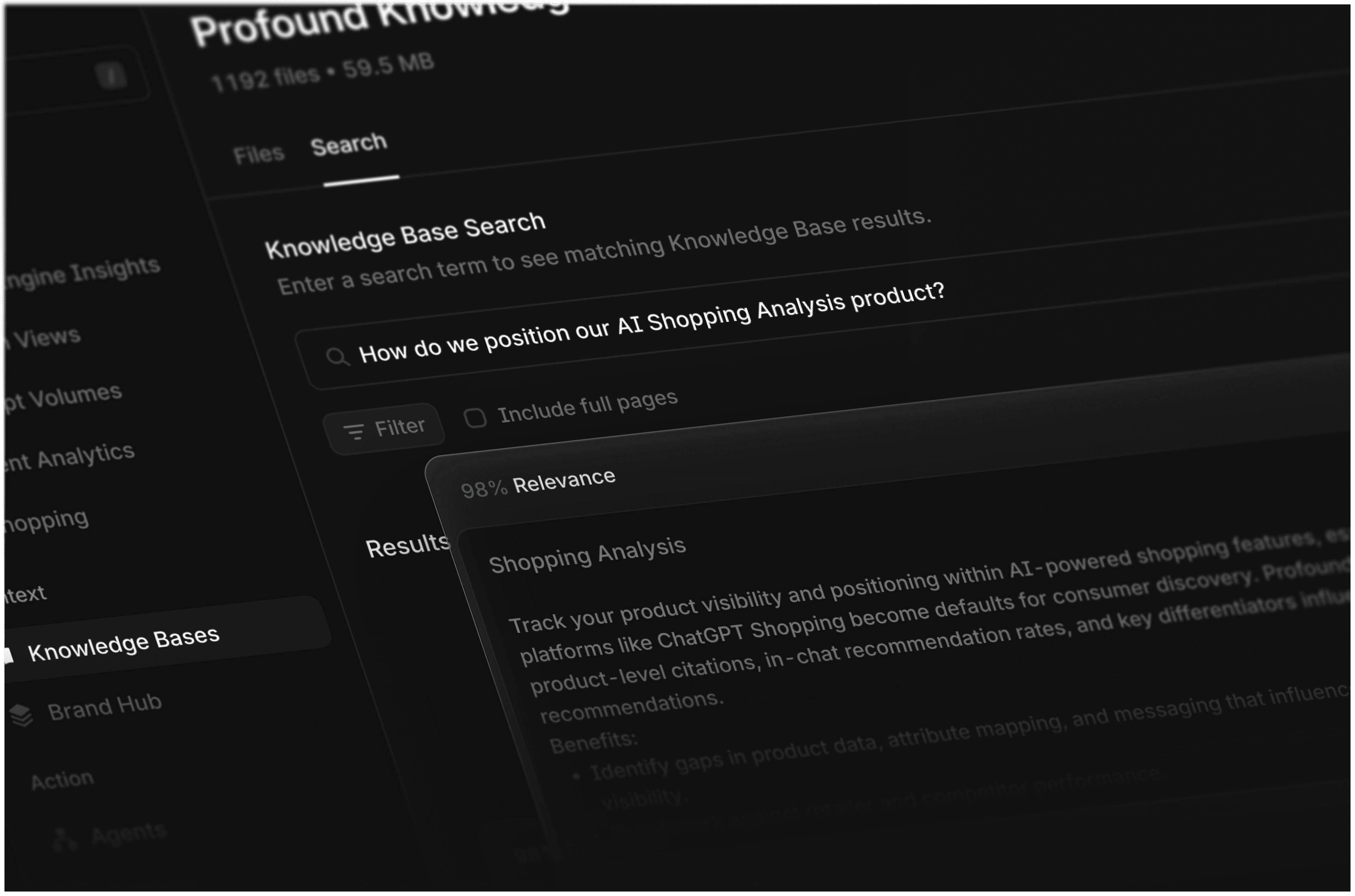
A critical challenge with agentic workflows for marketers is content accuracy—ensuring AI represents your brand's products, services, and voice correctly.
Knowledge Bases solve this by providing Profound Agents with a single source of truth for everything related to your brand. When teams upload company docs, webpages, or sitemaps to their Knowledge Base, it allows Agents to pull the right company-specific context every time they perform a marketing action.
Upload your knowledge once. Use it across every agent you build.
Why we built Knowledge Bases
Marketers often spin their wheels searching for brand guidelines, product specs, and approved messaging when creating content. Knowledge Bases become a master repository for all your brand information and ensure Profound Agents always work with accurate, up-to-date context.
How customers use Knowledge Bases
1. Protect the brand’s voice and style
Defending your brand’s voice is a marketer’s duty. By uploading brand style guides, messaging frameworks, previous blogs, and external content to your Knowledge Base, Agents can reference these materials and reinforce your brand at every turn.
2. Stop misinformation from being spread by AI platforms
Finding incorrect specs on a competitor's comparison page is bad, but letting ChatGPT confidently spread them to prospects is worse. To combat this, upload product specs to your Knowledge Base and build Agents that monitor relevant AI search topics, cross-reference their results against your Knowledge Base, flag misinformation, and generate fresh, external-facing content for AI to use as source material instead.
3. Verify the accuracy of of generative content
Connecting content Agents to Knowledge Base prevents misinformation in your own content by automatically cross-referencing against source documents before publishing to your CMS. This helps verify key details like specs, pricing, and messaging.
4. Build compliance into every Agent action
Uploading compliance documentation to your Knowledge Base once enables Agents to verify every marketing action. All agentic outputs, from blog posts to ad copy, get automatically checked for required disclaimers, approved language, and regulatory standards.
How it works
Uploading to your Knowledge Base
There are three ways to upload content to your Knowledge Base. All content becomes instantly available to Agents.
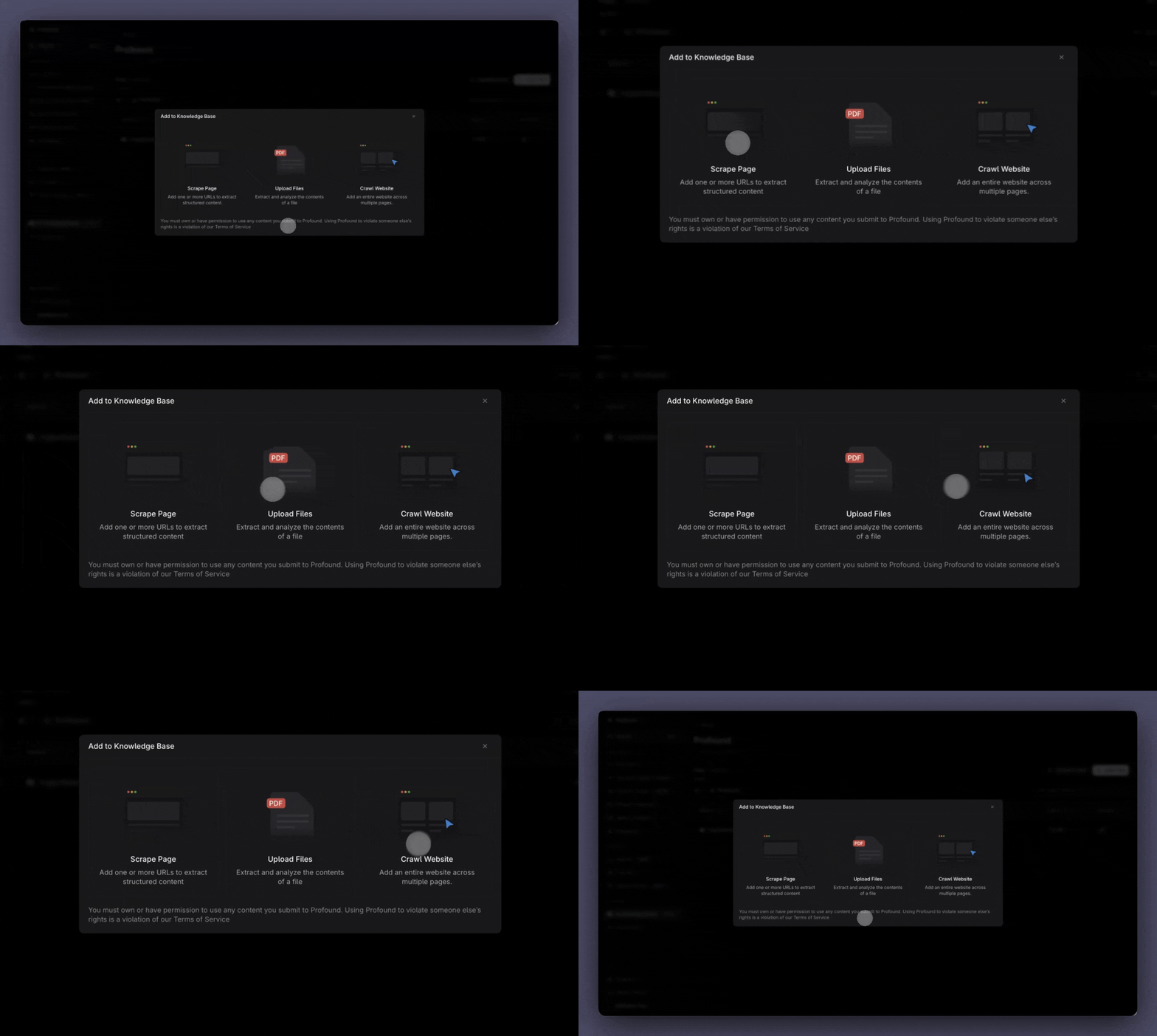
1. Scrape specific URLs
Paste URLs to extract content from individual web pages. Best for capturing published content like blogs, landing pages, and documentation that changes over time.
2. Upload files directly
Simply drag and drop files directly into your Knowledge Base. Great for internal documentation, like brand guidelines, product specs, battle cards, and compliance.
3. Crawl entire websites
Upload or paste a link to a sitemap to automatically crawl and index your site. Ideal for comprehensive documentation sites, help centers, or product catalogs.
4. Coming soon
Soon, marketers can integrate directly with tools like Google Drive and Notion, allowing you to pull content directly from your existing workspace without manual uploads.
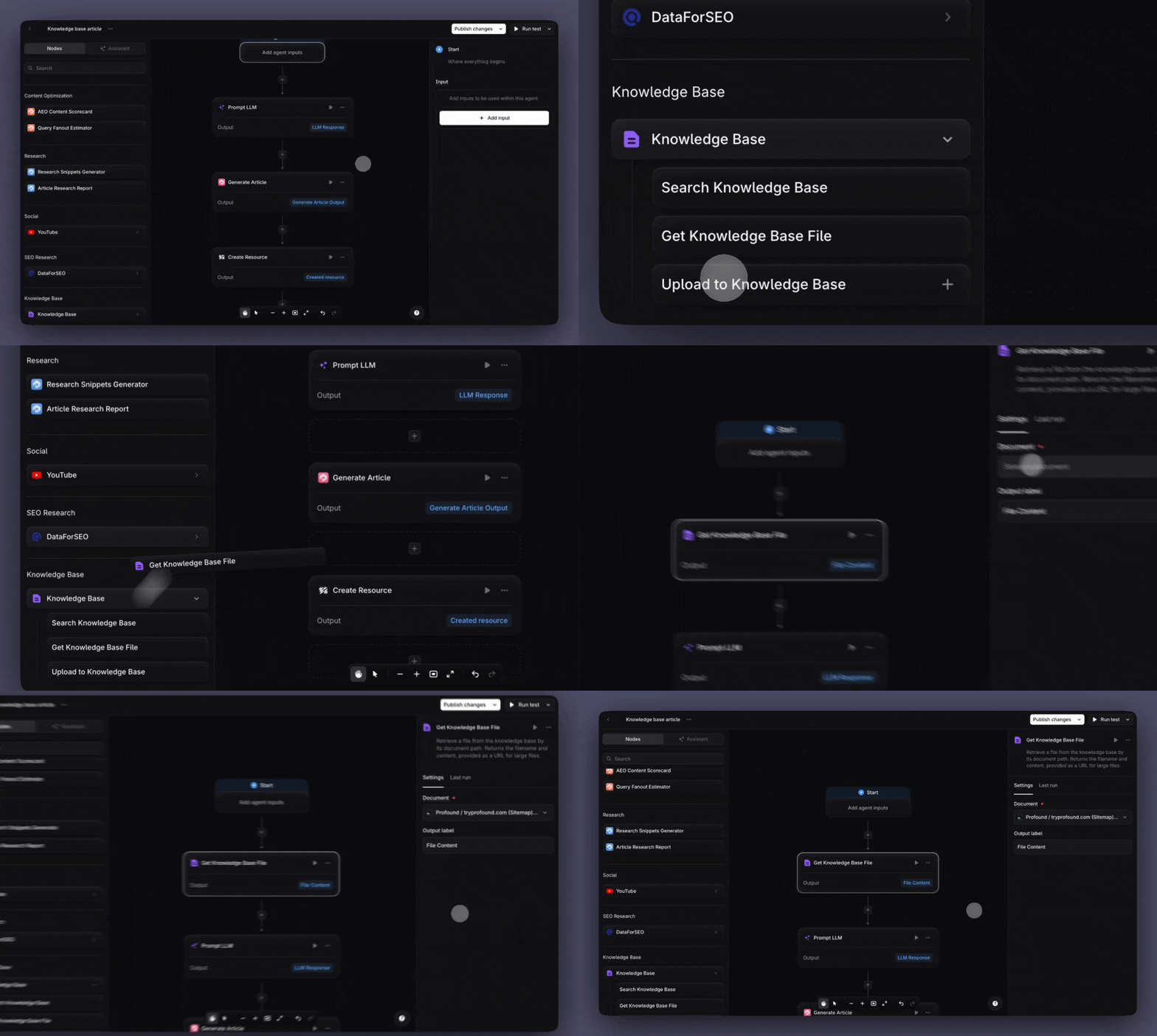
Building Agents with access to your Knowledge Base
Prompt LLM node
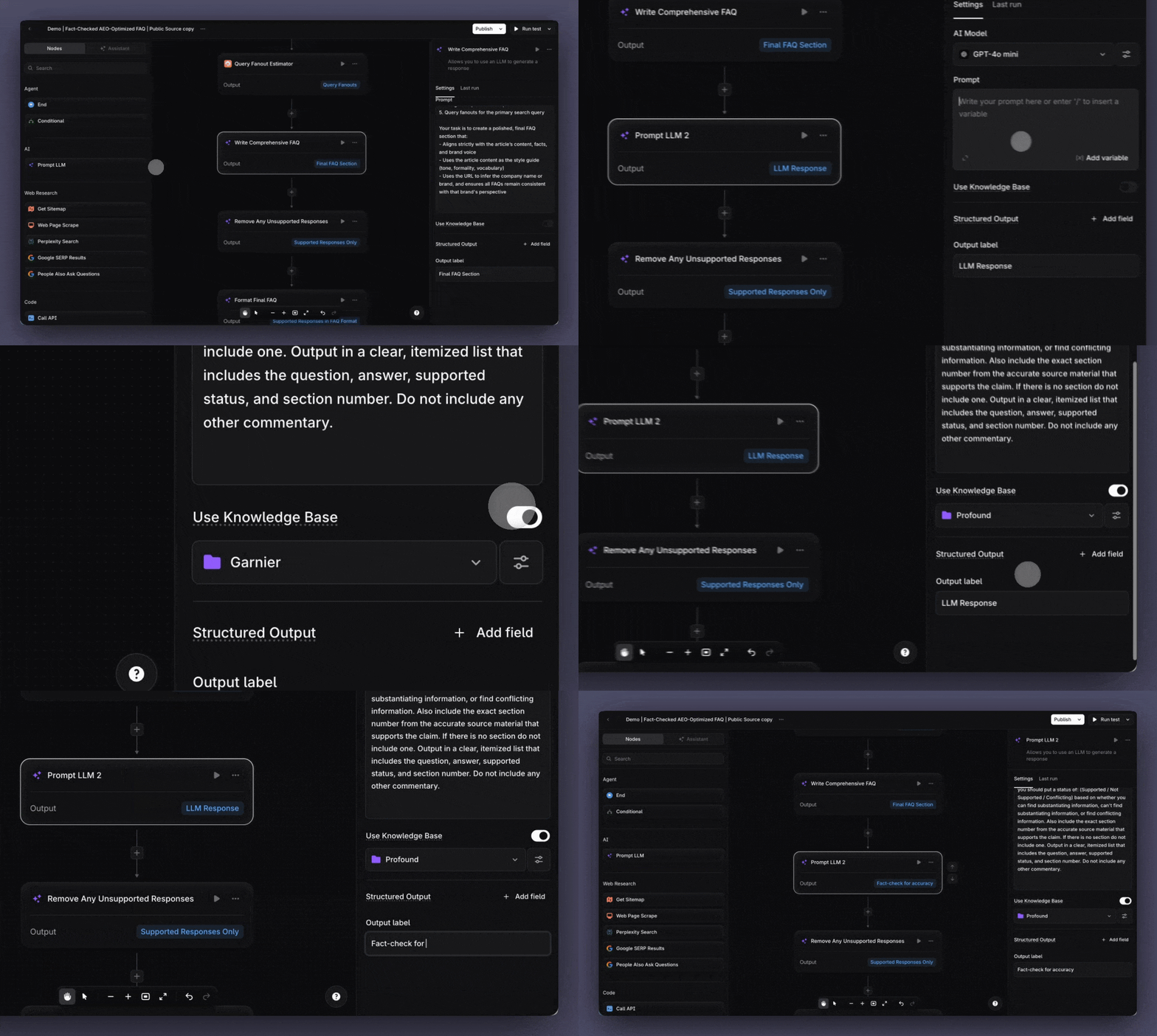
When you enable Knowledge Base within Prompt LLM nodes, the LLM will only reference Knowledge Base content to produce its output, ensuring accuracy and brand consistency without external information.
Search Knowledge Base node
When you want to leverage your Knowledge Base but aren't sure which documents are most relevant, use this node to search and retrieve the best matches. Results are ranked by relevance and can be passed to subsequent nodes in your Agent workflow.
Get Knowledge Base File node
Use this node to retrieve a specific Knowledge Base file when you know exactly which resource you need, like a brand style guide or product spec.
Upload to Knowledge Base node
When an Agent produces a document that would be valuable in your Knowledge Base, like a competitive research report, use this node to have your Agent upload it directly, in one fluid motion.
Start building with Knowledge Base
This blog was created with the help of Profound Agents and the newly released Knowledge Base functionality. To learn more about Agents, visit our agents page.
Enterprise customers of Profound can take advantage of Knowledge base in their platform today. Self-serve customers and others are encouraged to get a demo today.


