

An Agent is only as good as the context it has to work with. Without your messaging guidelines, product details, and brand voice, even the best AI Agent defaults to generic output that could belong to any company in your industry.
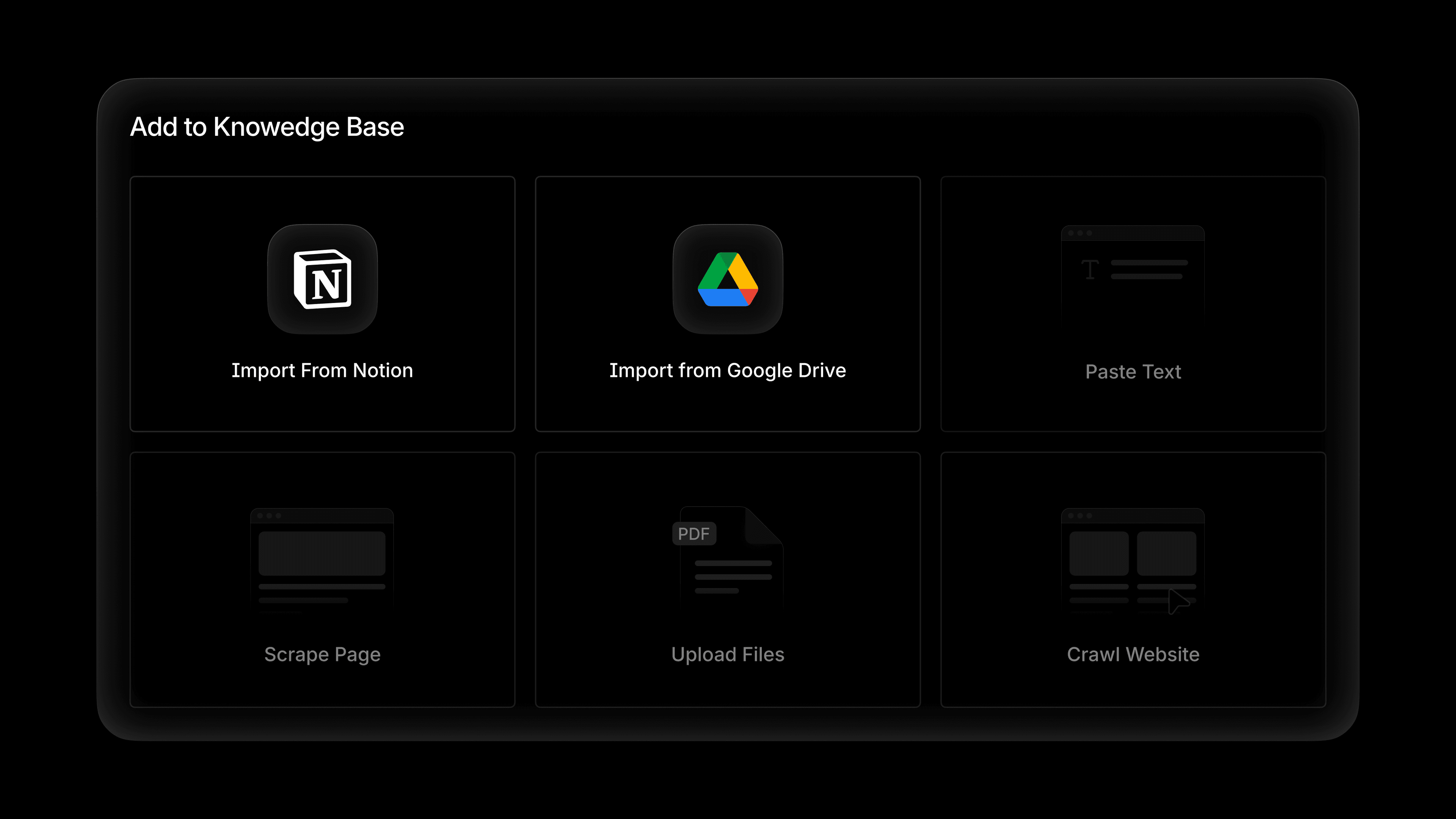
That's the gap Profound's Knowledge Bases close. And today, we're making it dramatically easier to get your source-of-truth content into Profound with two new integrations: Notion and Google Drive.
Why your Knowledge Bases matters
A Knowledge Base in Profound is where you store the information that defines your brand: messaging guidelines, product documentation, customer research, positioning frameworks, tone of voice, and more. It's the context an Agent needs to be a second set of hands for your team.
Once that content lives in Profound, every Agent you build can pull from it. Whether you're running one Agent or fifty in parallel, each one operates from the exact same brand context your team uses.
Importing from Notion
If your team operates out of Notion, you can now connect your workspace directly to your Knowledge Base. From the Add to Knowledge Base menu, choose Import from Notion, and Profound will surface your top-level pages and databases. Select which you want, and Profound pulls those files into the Knowledge Base where they become available to every Agent.
Importing from Google Drive
The Google Drive integration works the same way. Choose Import from Google Drive, browse your Drive in a familiar file picker, and select the documents you want to bring in. Profound pulls those files into the Knowledge Base alongside the rest of your documentation.
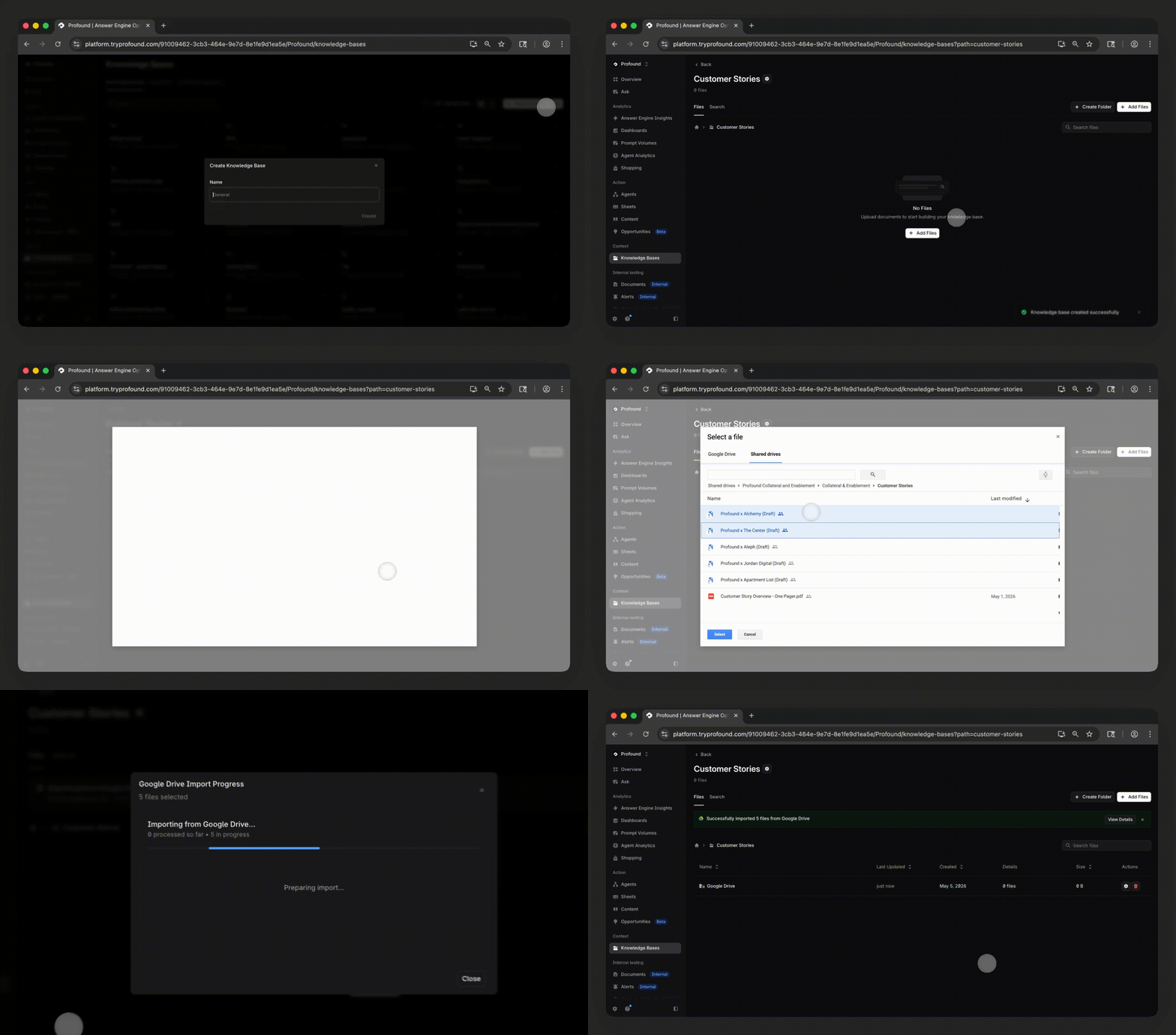
You can also set a sync schedule for Knowledge Base imports from Notion, Google Drive, and sitemaps, so your documents update regularly, capturing any changes.
Putting your context to work in Agents
Once your content is in a Knowledge Base, any Agent can reference it. Inside the Prompt LLM node, toggle Use Knowledge Base, choose which Knowledge Base to pull from, and optionally specify which files the Agent should reference for that particular run.
A few examples of what teams are building using their Notion and Google Drive integrations include:
Creating content only your brand could write
Load product information, customer quotes, case study data, and proprietary stats into your Knowledge Base. Your Agents pull from this material to create content grounded in details no one else has, so every output is original to your brand instead of a remix of what's already on the internet.
Keeping regulated content compliant before it ships
Upload compliance docs, naming conventions, pricing rules, and regulatory restrictions into the Knowledge Base. Your Agents can then cross-references these details before finalizing any output, so content for regulated industries like healthcare, finance, and CPG stays compliant.
Generating AEO-optimized FAQs across your product catalog
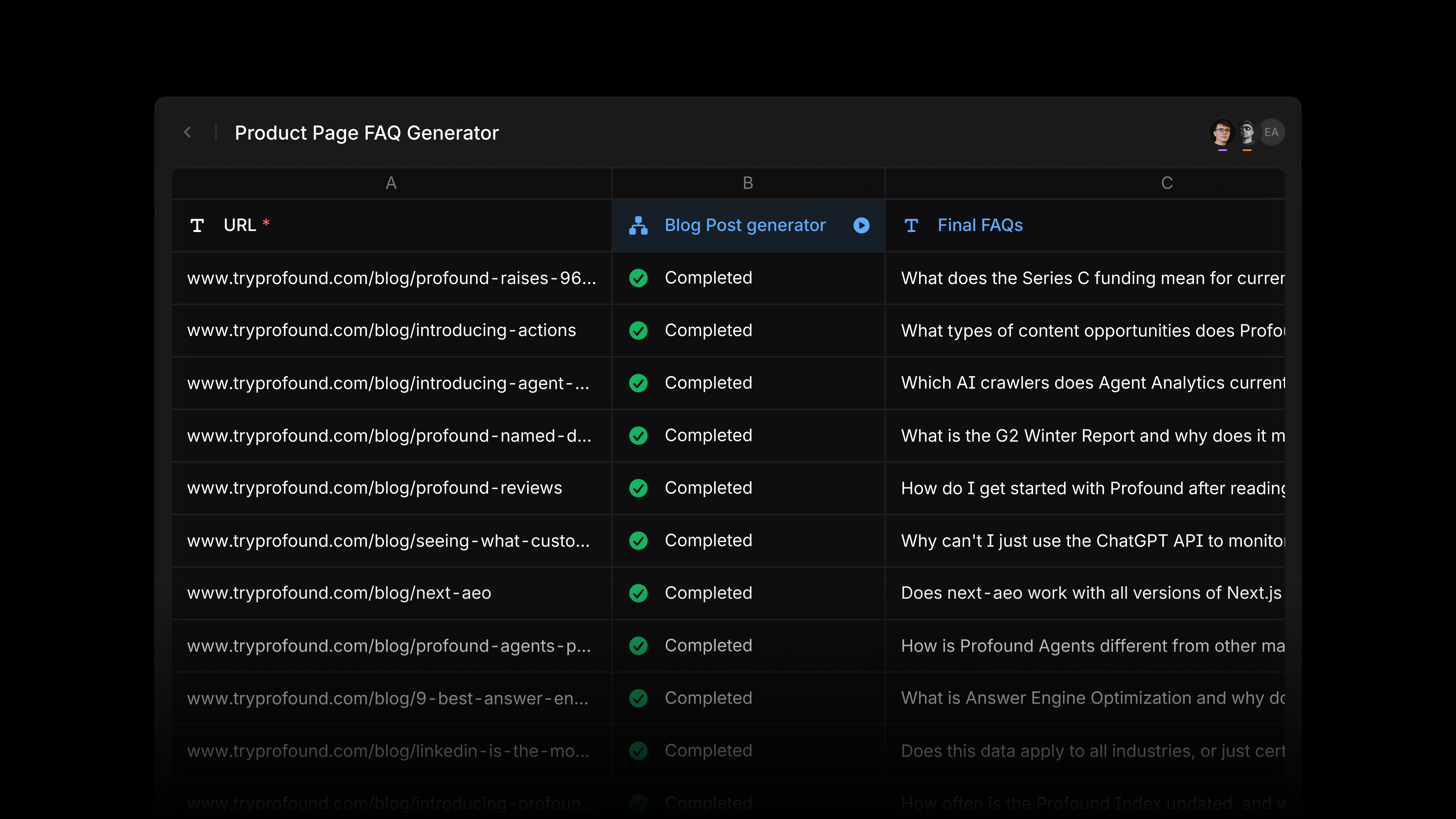
Load product specs and brand guidelines into your Knowledge Base, then deploy an Agent that generates FAQs for your product detail pages. You can run this Agent across a list of URLs using Profound Sheets to create thousands of FAQs in minutes.
Managing tone and voice across multiple brands
For teams managing a portfolio of brands, you can set up a separate Knowledge Base for each one. Configure your Agents to pull from the right Knowledge Base depending on which brand they're working on, so a single content workflow can serve every brand in your portfolio without crossing wires on voice or guidelines.
Get started
The Notion and Google Drive integrations for Knowledge Bases are available today for all Profound users. If you are not yet a Profound customer and want to see this in action, we encourage you to get a demo.


