
Marketing leaders expect AI to take on a much bigger share of the work. In a Gartner survey of 402 CMOs, published in May 2026, respondents expected AI-driven automation of marketing work to more than double, from 16% in 2026 to 36% by 2028.
Much of that shift already runs through AI agents. In another survey of 413 marketing technology leaders, Gartner found that four in five (81%) were piloting or had fully implemented AI agents, and the most common pilots were jobs any marketing team would recognize: producing content and marketing assets (52%), enriching them (49%), and managing and optimizing campaigns (43%). Among the leaders with agents in pilot or production, though, 45% said the agents their vendors offered weren't meeting expectations of promised business performance.
It doesn't help that "agentic" now appears on plenty of marketing product pages, whether the product carries a job from goal to finished work or still waits for a prompt to produce one asset at a time. So which AI marketing tools take considerable work off your team's plate?
Below are six, each strong at a different marketing job. Here’s a quick comparison before we dive deeper into each:
1. Profound: best overall agentic marketing platform
Best for:
- Marketing teams that want an AI Marketer to decide what's worth doing and agents to execute the tasks.
- SEO, content, and PR teams acting on what AI engines say about their brand.
- Brands that want every agent working from real AI search data and shared brand context.
- Marketing leaders who report AI search share of voice, citations, and AI-referred conversions to leadership.
What you'll love:
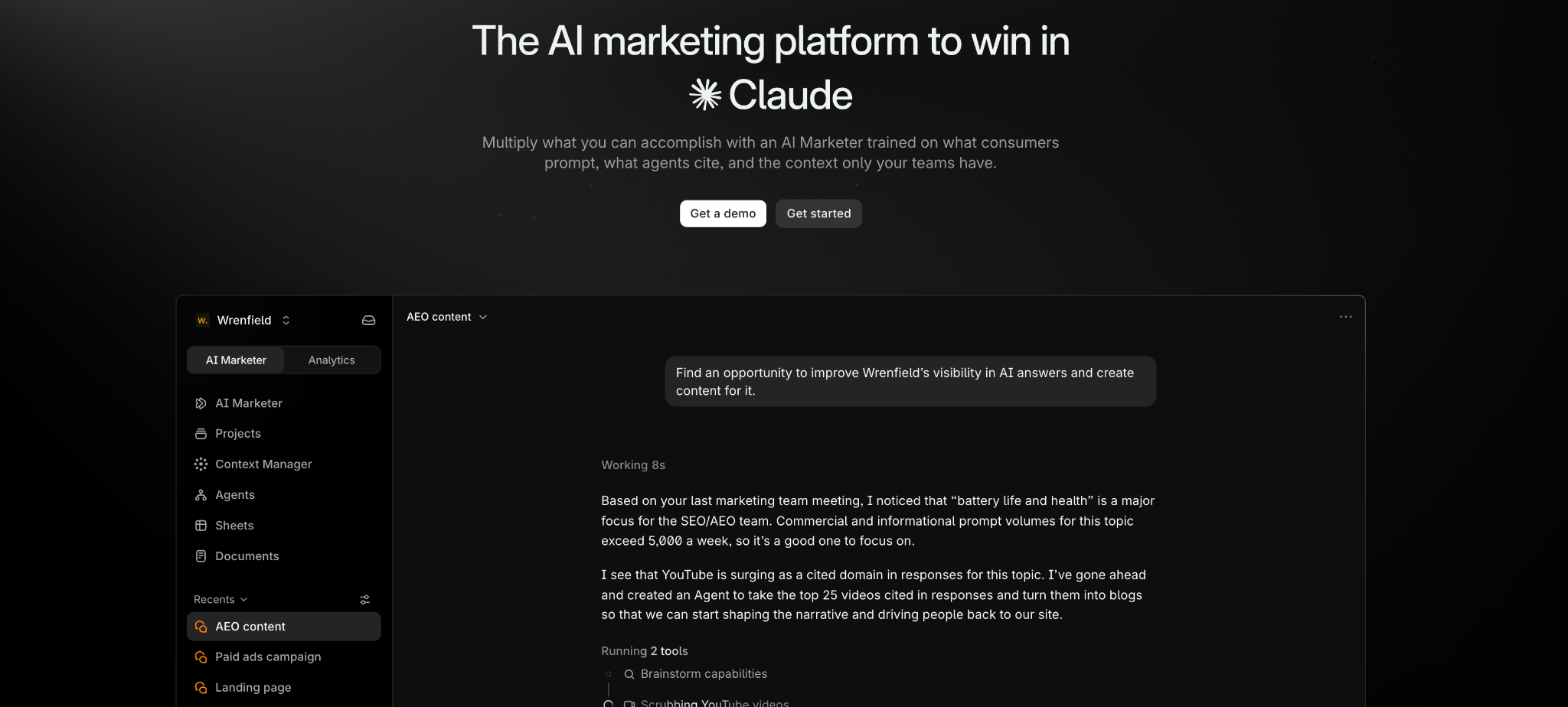
- An AI Marketer that brings a ranked list of opportunities each week and builds the agents to act on them.
- Agents that start from the pages AI engines cite for each prompt.
- More than 50 agent templates to clone and run, plus a drag-and-drop builder.
- Approved claims, tone, and hard rules applied to every agent by default.
- Citations, visibility, and AI-referred traffic measured in the same platform where the work happens.
Profound is an agentic marketing platform, and its AI Marketer (Aim) is the star of the show. Aim works in the background across your AI search data and brand context, decides what's worth doing each week, and builds and runs the agents that do it, from research and briefs to page refreshes and publisher pitches.
Where Profound wins is the data underneath. It tracks how nine AI engines describe, cite, and recommend you and your competitors, estimates what people ask them from more than 2 billion real prompts, and records how AI crawlers and agents use your site.
Aim builds agents for you when you accept an opportunity, but you don't have to wait for it to put them to work. You can start from one of the more than 50 production-ready agents in the Agent Template Marketplace, including templates built by partners like iPullRank and Jordan Digital Marketing, and remix it to fit your brand and reporting cadence. Or you can build your own in a drag-and-drop builder without writing a single line of code.
Once built, an agent connects to your CMS, draws on your brand kit, tone guidelines, and knowledge base, and includes an approval step before anything publishes. A few of the templates map to everyday marketing jobs. For example:
- Content Brief + Final Draft Generator takes a topic from brief to first draft.
- AEO Content Refresh updates an existing page so it holds up in AI search.
- AEO-Optimized FAQ Generator builds an FAQ section from an article's core intent, the search query behind it, and the related questions people ask.
- Citation-Friendly PR Target Finder pulls the domains AI engines cite in your category and ranks them into a pitch list.
- FactCheck Action - Reddit Response drafts a reply to a Reddit thread that's spreading an inaccurate claim about you, for your team to review.
Agents write from Context Manager, which holds six Brand Records covering your company, market, offerings, audience, strategy, and execution. It fills them from your knowledge bases, brand kits, and conversations in Slack, email, and Gong, and when a gap would change the output, it asks you a question. Your approved terminology, claims, tone, and hard rules apply by default, so you don't attach a style guide to every task.
Because the data and the agents sit in the same platform, you can see whether the work had any impact. Answer Engine Insights shows whether the engines start citing a new page, and Agent Analytics shows whether AI crawlers visit it and whether AI-referred visitors convert.
2. Jasper: best for on-brand content at scale
Best for:
- Enterprise content teams producing at volume across several brands or regions.
- Brands with strict voice, visual, and style rules.
- Global teams that translate most of what they publish.
What you'll love:
- More than 100 marketing agents, from cited research reports to email sequences.
- Brand checks that flag off-brand copy and suggest replacements.
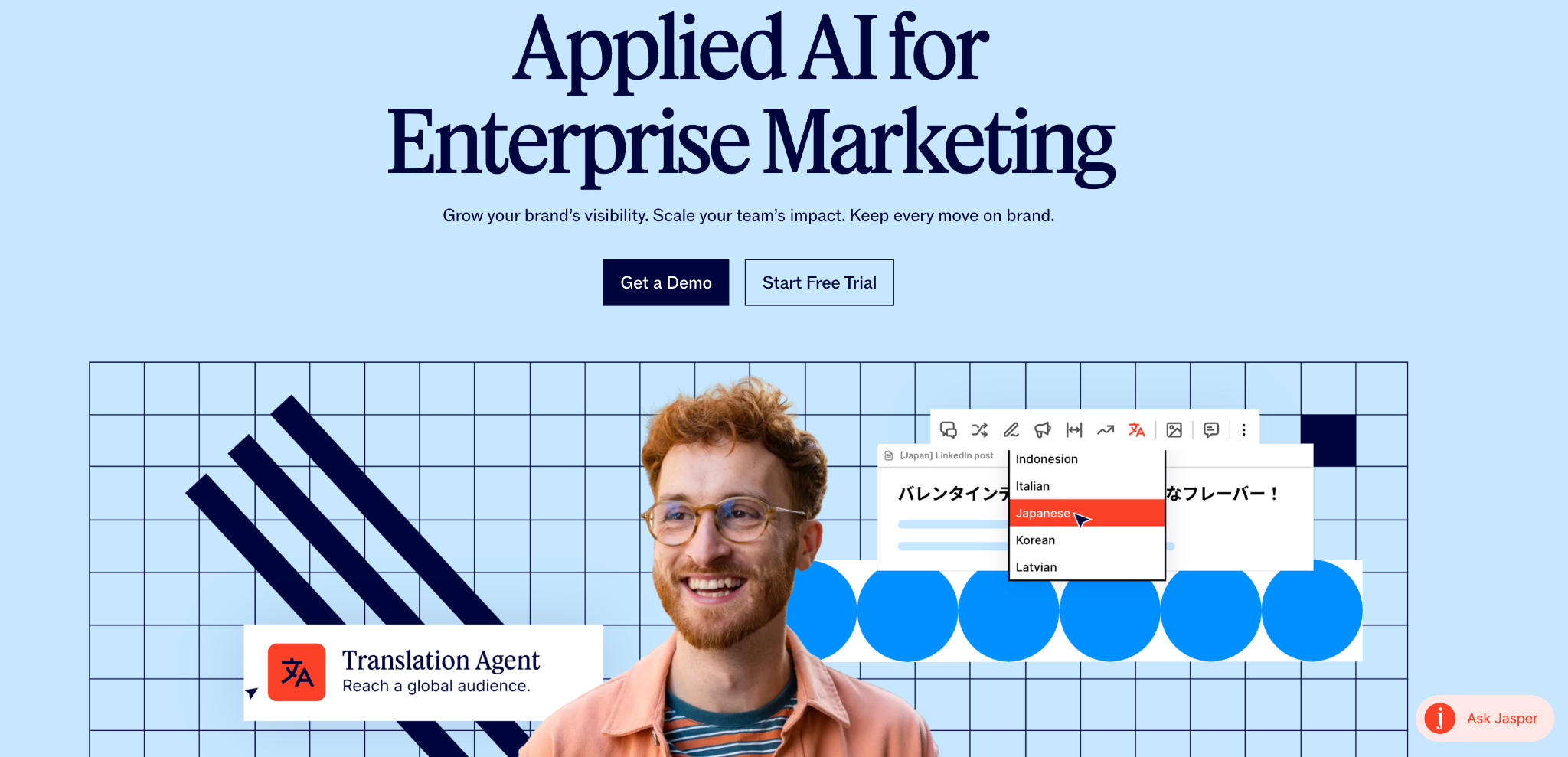
- Translation into 27 languages with glossary enforcement.
- Jasper Studio for building custom agents without code.
Where it falls short:
- The GEO hub and advanced agents (research, translation, and optimization) run on credits, used up with each run.
- The GEO hub and agents run on credits, used up with each action.
Jasper is built for enterprise marketing teams that produce content at volume, and its library of more than 100 marketing agents covers the jobs those teams repeat every week. A Research agent writes cited market research reports in your brand voice and from your knowledge base. Other agents translate content into 27 languages while enforcing your glossary, audit a competitor's content for gaps and AI positioning risks, rewrite pages for AI answers and traditional search, and build email sequences.
Those agents run inside Jasper's Chat, Canvas, and Grid, where Grid handles systematic content production at scale. Jasper Studio lets you design your own agents and workflows without code. The agents are designed to work autonomously within guardrails, while marketers set the intent and approve the output.
Brand IQ keeps all of it on brand. It stores your brand voice, visual guidelines (color palettes, image styles, and layout rules), and style guide, and applies them across formats, brands, and regions. When a draft breaks a rule, Jasper flags it and suggests an on-brand replacement.
For AI search, Jasper's GEO hub monitors your brand's presence, citation rate, and sentiment in AI engines, turns what it finds into a ranked list of actions, and reports which actions moved which scores.
3. Adobe GenStudio and Firefly: best for on-brand creative production
Best for:
- Enterprise creative and marketing teams already working in Adobe.
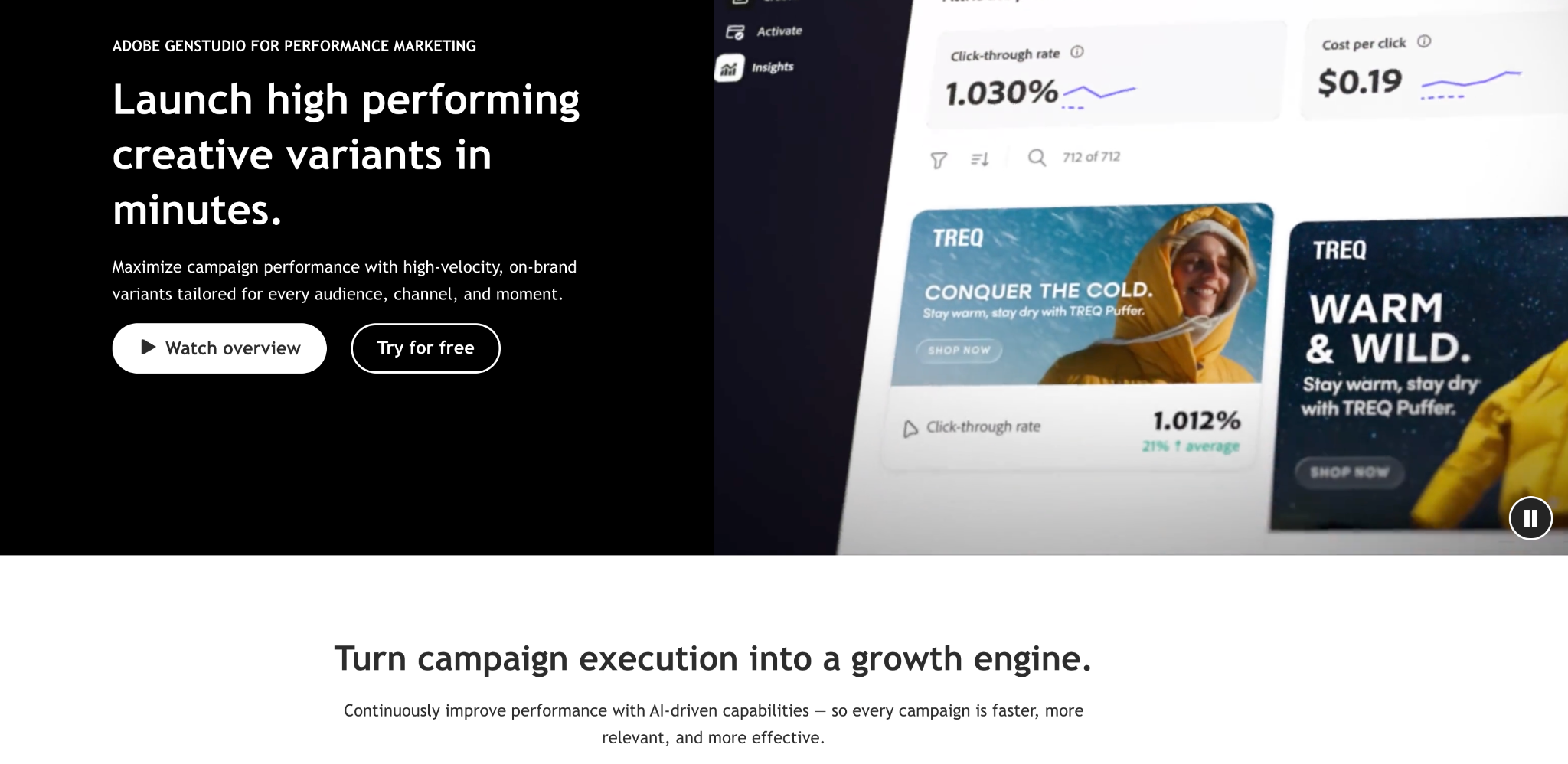
- Producing on-brand ad variations at volume.
- Activating creative across paid social, display, and video.
What you'll love:
- Custom Firefly models trained on your own assets.
- Brand Intelligence that learns what written guidelines leave out.
- Direct activation to ChatGPT, Meta, LinkedIn, TikTok, Amazon, and Google Campaign Manager 360..
- A choice of third-party models, from Azure OpenAI to Veo and ElevenLabs.
Where it falls short:
- Some features are still listed as coming soon on Adobe’s own pages, including YouTube activation and Workfront’s Workflow Optimization Agent.
- GenStudio is a set of connected products, so the full workflow means adopting several Adobe products.
GenStudio is Adobe's set of connected products for the enterprise content supply chain, from planning a campaign to producing and activating its assets. Workfront handles project planning, collaboration, and resourcing, and since August 2026, its AI Collaborators let teams assign tasks to AI agents and review the output inside the workflow.
Production is where Adobe goes deepest. Firefly Creative Production for Enterprise automates high-volume, repetitive production work, and Firefly Custom Models let you train AI models on your own branded assets, so new variations resemble the rest of your work. Brand Intelligence, a continuously learning engine, captures the nuances that written brand guidelines can’t spell out.
GenStudio for Performance Marketing then adapts and activates campaign content. It publishes to ChatGPT, Meta, LinkedIn, TikTok, Amazon’s ad network, Google Campaign Manager 360, and Innovid, with YouTube, The Trade Desk, Pinterest, and Reddit listed as coming soon. It also works with third-party models, including Azure OpenAI, WRITER Palmyra, Google's Nano Banana and Veo, and ElevenLabs.
4. HubSpot Marketing Hub: best for CRM-connected campaigns
Best for:
- Mid-market and enterprise teams running their CRM in HubSpot.
- Inbound teams pairing content with email nurture.
- Companies that want marketing, sales, and service agents working from the same customer records.
What you'll love:
- Agents that use CRM context like lifecycle stage and open deals.
- Breeze Assistant, included with every subscription.
- New agents built from a plain-language description.
- AI visibility tracking in the same platform as your CRM.
Where it falls short:
- The Campaign, Content, and Nurture agents are in beta.
- AEO is also in beta and tracks three engines.
- The agents draw on HubSpot's CRM, so they're most useful if your customer data lives there.
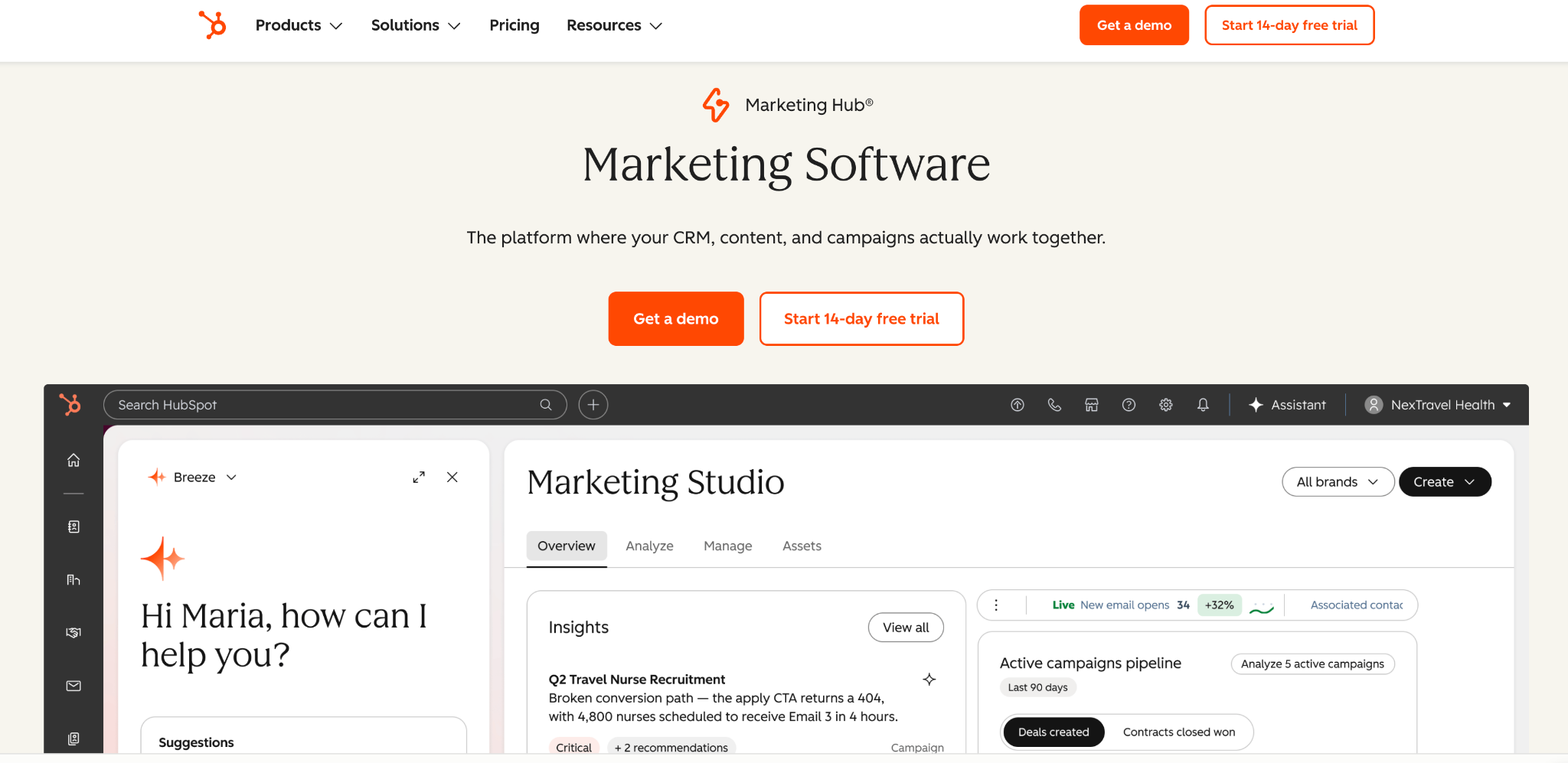
HubSpot's marketing agents work from your CRM, which is their main advantage. Its Campaign Agent turns a single goal into a multi-channel campaign plan. The Content Agent writes blog posts, LinkedIn content, and landing pages in your brand voice, and the Nurture Agent personalizes nurture emails for each contact based on lifecycle stage, page visits, deals, and live research.
Breeze Assistant ties the agents together and comes with every HubSpot subscription. It answers from your CRM data, customer records, and HubSpot's knowledge base, pulls in Google Workspace, Microsoft 365, and Slack, and drafts emails, proposals, and reports. You can call any agent from a conversation, or describe a new agent in plain language and have Breeze build it from your CRM data and processes.
Because every agent shares the same customer records, marketing's work connects to the rest of the business. A Data Agent answers questions about your customers, and sales and service teams get their own agents for prospecting and support on the same platform.
HubSpot also sells AEO, in beta, which tracks your brand across ChatGPT, Gemini, and Perplexity for the prompts you select. It suggests prompts based on your company, competitors, and industry, analyzes citations, and recommends fixes.
5. Synthesia: best for video at scale
Best for:
- Product marketing explainers, demos, and launch videos.
- Localizing video for many markets.
- Enablement and training content that changes often.
What you'll love:
- Personal avatars from a photo or short video, with optional voice cloning.
- Videos in more than 140 languages, plus dubbing in the original speaker's voice.
- Embedded videos that update everywhere when you edit them.
- An assistant that turns a deck or document into a first draft.
Where it falls short:
- Brand Kits and one-click translation are on the Enterprise plan.
- Lower plans cap monthly video minutes through credits.
- The listed integrations are the API, SCORM export, and stock media libraries, with no marketing platforms named.
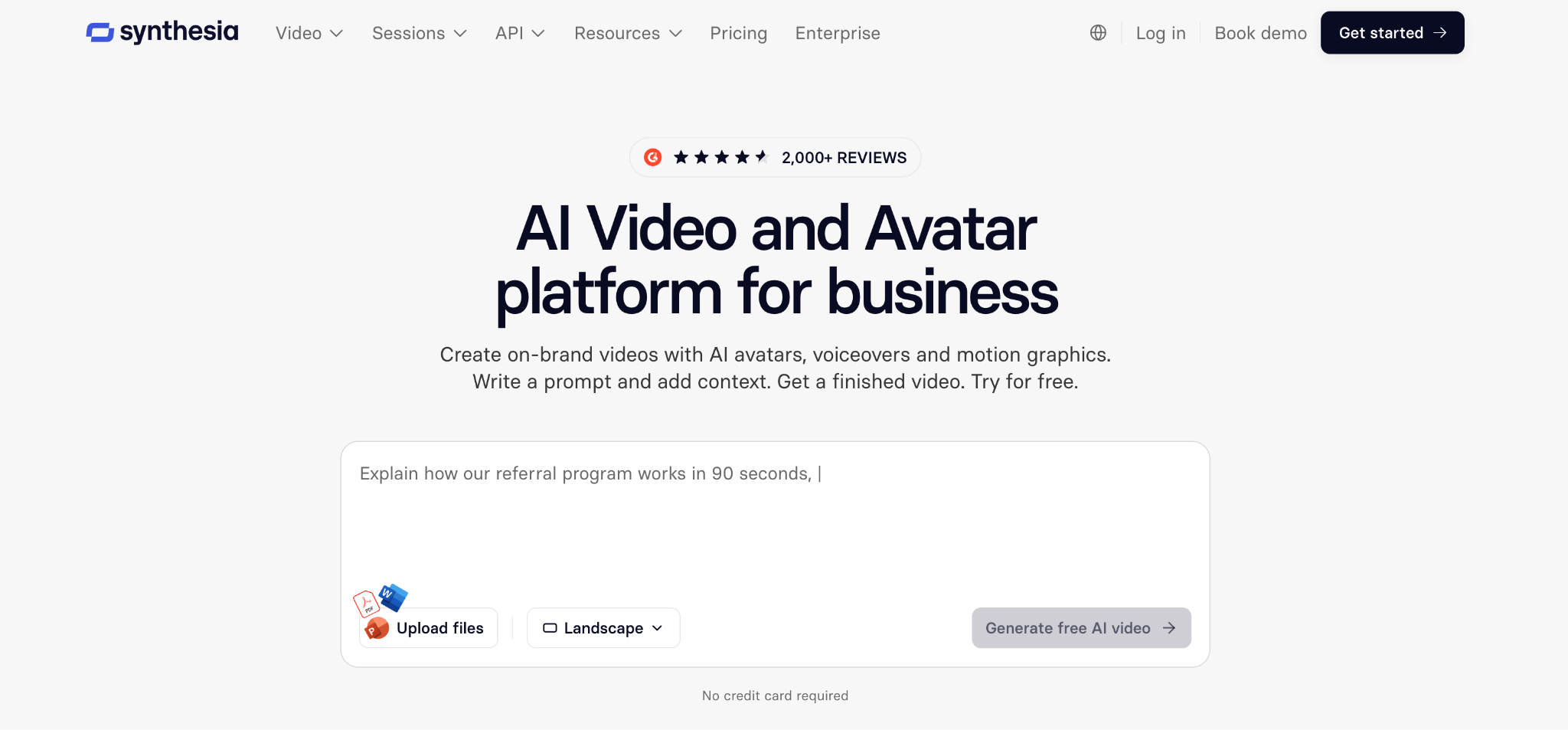
Synthesia is for the videos you’d rather not book a studio for. Its assistant takes a document, deck, or link and returns a draft video with a script, scenes, and a presenter. That presenter can be one of its stock AI avatars, one you design, or a personal avatar built from a photo or short clip of someone on your team, speaking in their own cloned voice if you want.
Localization is a big part of the appeal. Videos can be made in more than 140 languages, finished videos can be translated in one click, and AI dubbing re-voices existing footage in the original speaker's voice, with optional lip sync. A custom glossary keeps product and brand names consistent across every version.
Synthesia also covers the work around the video. Brand Kits hold your logos, colors, fonts, and branded outfits, and teams work in shared workspaces with roles and an approval step. Interactive features add quizzes, clickable calls to action, and branching paths. Videos you share by link or embed update automatically when you edit them, and built-in analytics show views and completion.
6. Clay: best for B2B account research and audiences
Best for:
- B2B demand gen and ABM teams building target account lists.
- RevOps teams keeping CRM data complete.
- Paid teams syncing account audiences to LinkedIn, Meta, and Google.
What you'll love:
- Claygent, which researches any company or person with AI.
- Waterfall enrichment across more than 150 data providers.
- Signals for job changes, promotions, and web intent.
- No charge when an enrichment comes back empty.
Where it falls short:
- CRM sync and web-intent signals start on the Growth plan.
- Usage is billed in two units, actions and data credits, and actions don't roll over.
- It's built for B2B go-to-market, so consumer brands get less from it.
Clay helps you build lists of the companies and people you want to sell or market to, then fill in what you don't know about them. It pulls from more than 150 data providers and combines them, so if one provider is missing a detail, it can come from another. Its AI research agent, Claygent, searches the web for anything the providers don't cover.
From there, Clay watches those accounts for reasons to reach out, like a new hire, a promotion, or signs of interest in their activity on the web, and helps you act on them. You can sync a list straight to LinkedIn, Meta, or Google as an ad audience, send outreach through Clay's own sequencer or the tools you already use, and push the updated records back into your CRM. So when a target account hires a new head of marketing, it can show up in both your ad audience and your sales team's outreach.
Clay is built for B2B sales, marketing, and go-to-market operations teams, and it's at its best when the same account data needs to feed ads, outreach, and the CRM at once.
Where agentic marketing goes next
Profound came out in 2024 as the answer to a new status quo in search. As more marketing work moved to agents, Profound moved with it, first with agents that act on that data and then with a library of templates to start from.
The latest improvement is Aim, your personal AI Marketer that works in the background across Profound's AI search data and the brand context your team keeps in Context Manager. Every week, it brings a ranked list of opportunities, each with the reasoning and data behind it, like a visibility gap on a priority topic, a drop in sentiment, or a publication the engines cite that leaves you out.
Aim won't be the last step. AI's share of marketing work is still growing, and so is the number of tools calling themselves agentic. The tools worth keeping will know your data, decide what's worth doing, and show you whether it worked. That's the bar we hold Profound to, and we'll keep raising it as marketing changes.
See what Profound would take off your team's plate first. Book a demo.
AI marketing tools FAQs
Should I buy an all-in-one platform or specialist tools?
Start with the platform that already holds your data, then add specialists where the gap is obvious. A CRM or creative suite's built-in agents already know your contacts, assets, and history, which saves setup and keeps the work in one place.
Add a specialist when a job needs something the platform doesn't do well, like video at scale, enrichment from many data providers, or AI search data. Keep the count low, since every new tool adds a login, a brand setup to maintain, and another place to check results.
Do I need to build Profound's agents myself?
No. You can start from the Agent Template Marketplace, which launched with more than 50 production-ready agents you can clone and run. Aim can also build agents for you when you accept an opportunity. If you want more control, you can build your own in a drag-and-drop builder without writing code.
You can edit any template's inputs, output formats, data sources, and run schedule to fit your brand and reporting cadence. Every run includes an approval step before anything publishes.
Does Profound work with the other tools in my stack?
Yes, in both directions. Profound's agents connect to your CMS and draft changes for review. Agent Analytics connects to the infrastructure your site runs on, including Cloudflare, Akamai, Fastly, AWS, Vercel, WordPress, and Shopify. MCP connectors link Profound to tools like Slack, Notion, Contentful, Sanity, Klaviyo, Customer.io, and Linear.
Data can flow out as well. An API and an MCP server let your team pull Profound data into a warehouse, a BI tool, or your own AI tools.
How does Profound keep agent output on brand?
Through Context Manager, which every agent applies by default. It holds six Brand Records for your company, market, offerings, audience, strategy, and execution, and fills them from your knowledge bases, brand kits, and conversations in Slack, email, and Gong. Your approved terminology, claims, tone, and hard rules apply to every draft without anyone attaching a style guide.
When a gap in that context would change the output, Profound asks a single question, which you can answer in text, by voice, or with a file. The records stay current as your team adds to them, and a person still approves every draft before it goes anywhere.