

Profound started as an analytics company, helping companies understand what questions people asked AI and what the Answer Engines said back. As the platform grew, so did our ability to help brands understand how they show up in AI Search, from seeing query fan-outs to understanding accuracy in AI answers.
We rebuilt Answer Engine Insights to give you unified views, customizable matrices, and trends at a glance. And now, your AI Marketer is right there alongside you, helping you get from insight to action as fast as possible.
What's new
Go from insight to action in one click
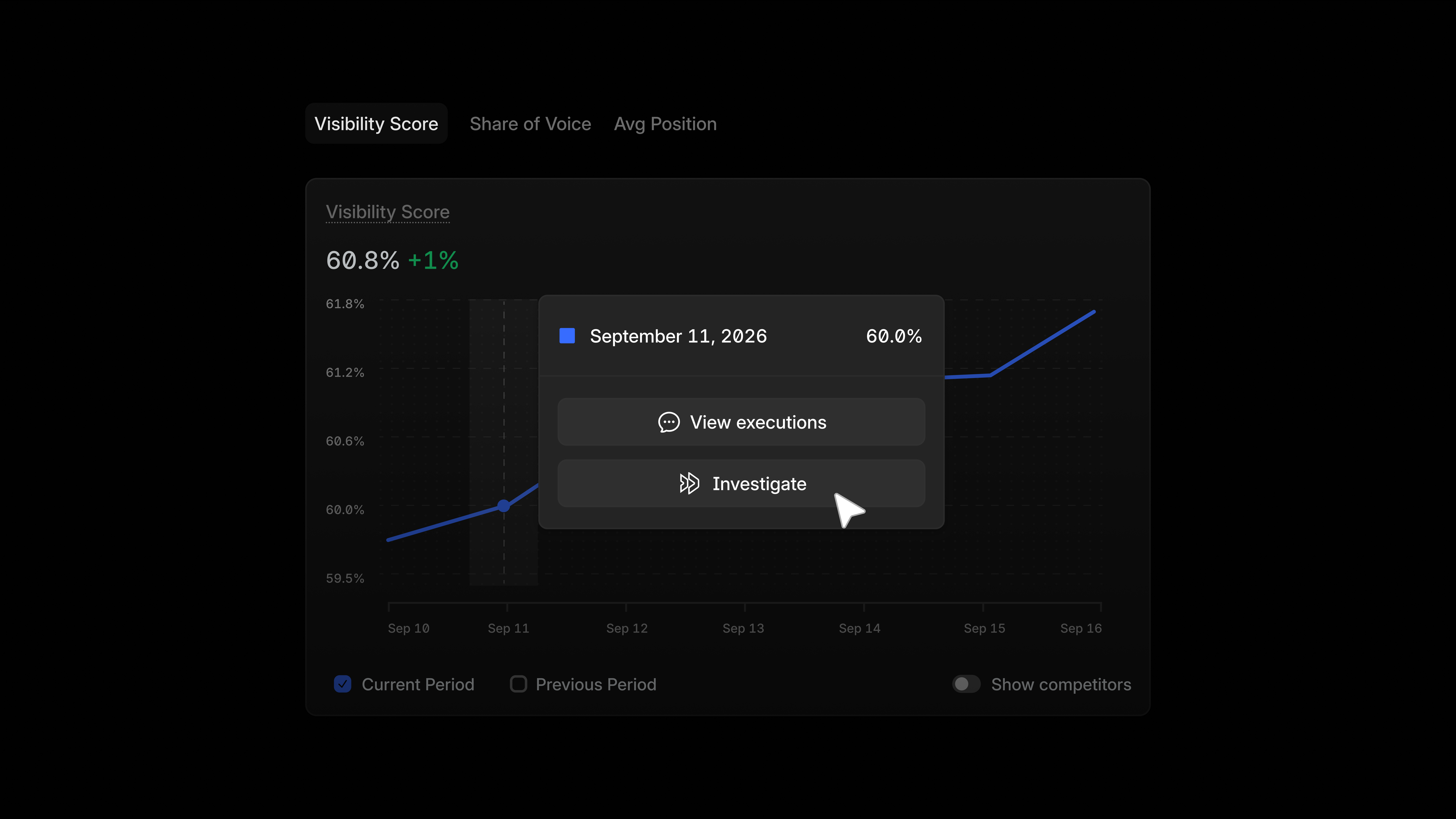
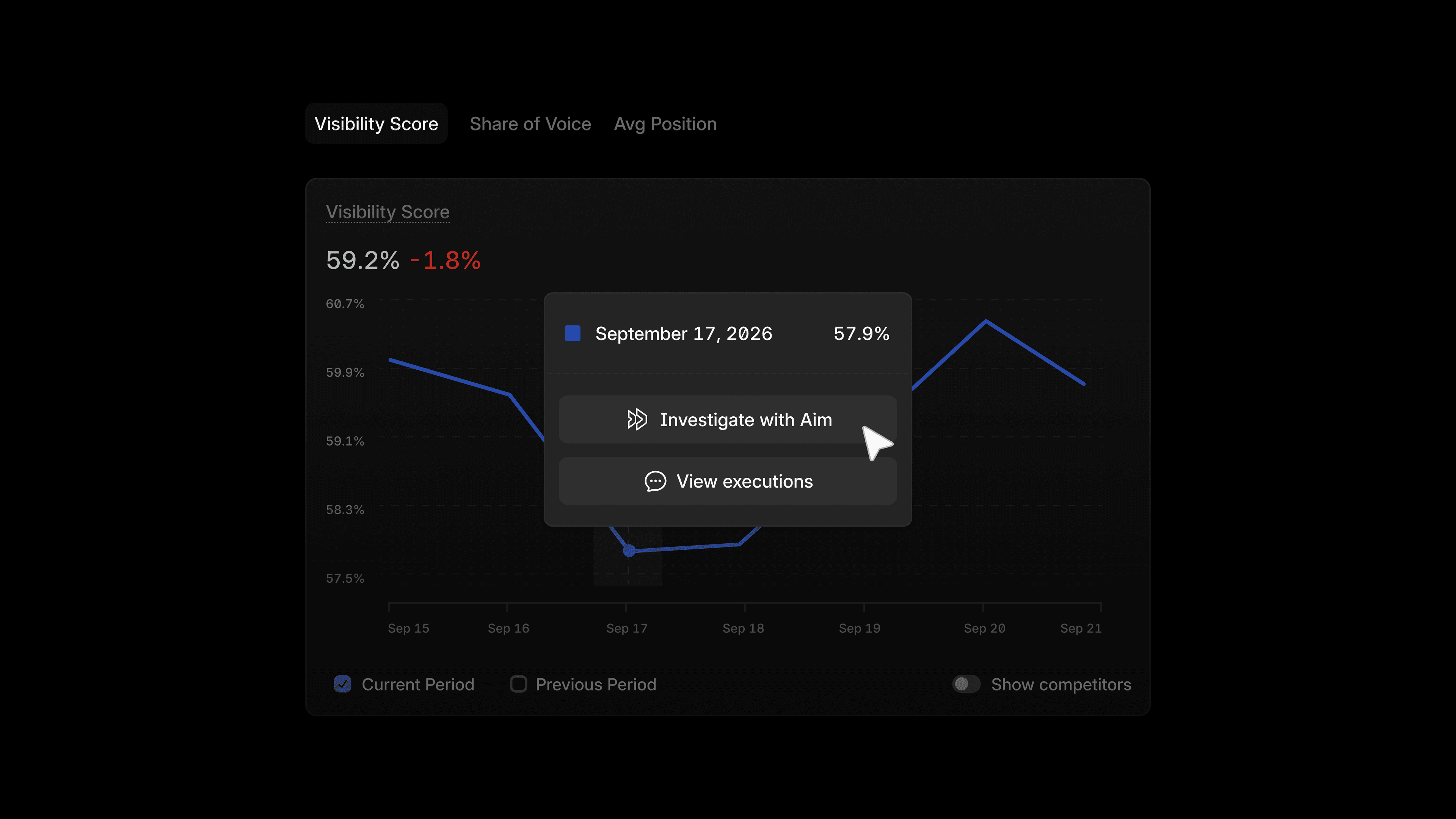
Click any point on a chart in Visibility, Citations, Sentiment, or FactCheck and you'll see two options appear. View executions prompts your AI Marketer to show you the exact prompt executions behind that data point, so you can see the raw answers driving the number onscreen. Investigate prompts your AI Marketer to look into that moment in time and explore the data for you, so you can know exactly what to do next.
Explore your data with consolidated charts and tables
Data from the Personas, Platforms, and Regions tabs are now built into the Visibility, Citations, FactCheck, and Sentiment tabs. Click the Compare dropdown across the tabs to pivot between competitors, platforms, topics, tags, regions, and personas without leaving the chart.
The metrics behind those charts pivot too. Visibility charts switch between Visibility Score, Share of Voice, and Average Position. Citations charts switch between Citation Share and Citation Coverage. The same data is still there, just easier to reach from a single view.
Query Fanouts now live inside the Prompts tab next to your tracked prompts, so information around prompts lives in one place.
Choose which competitors show up
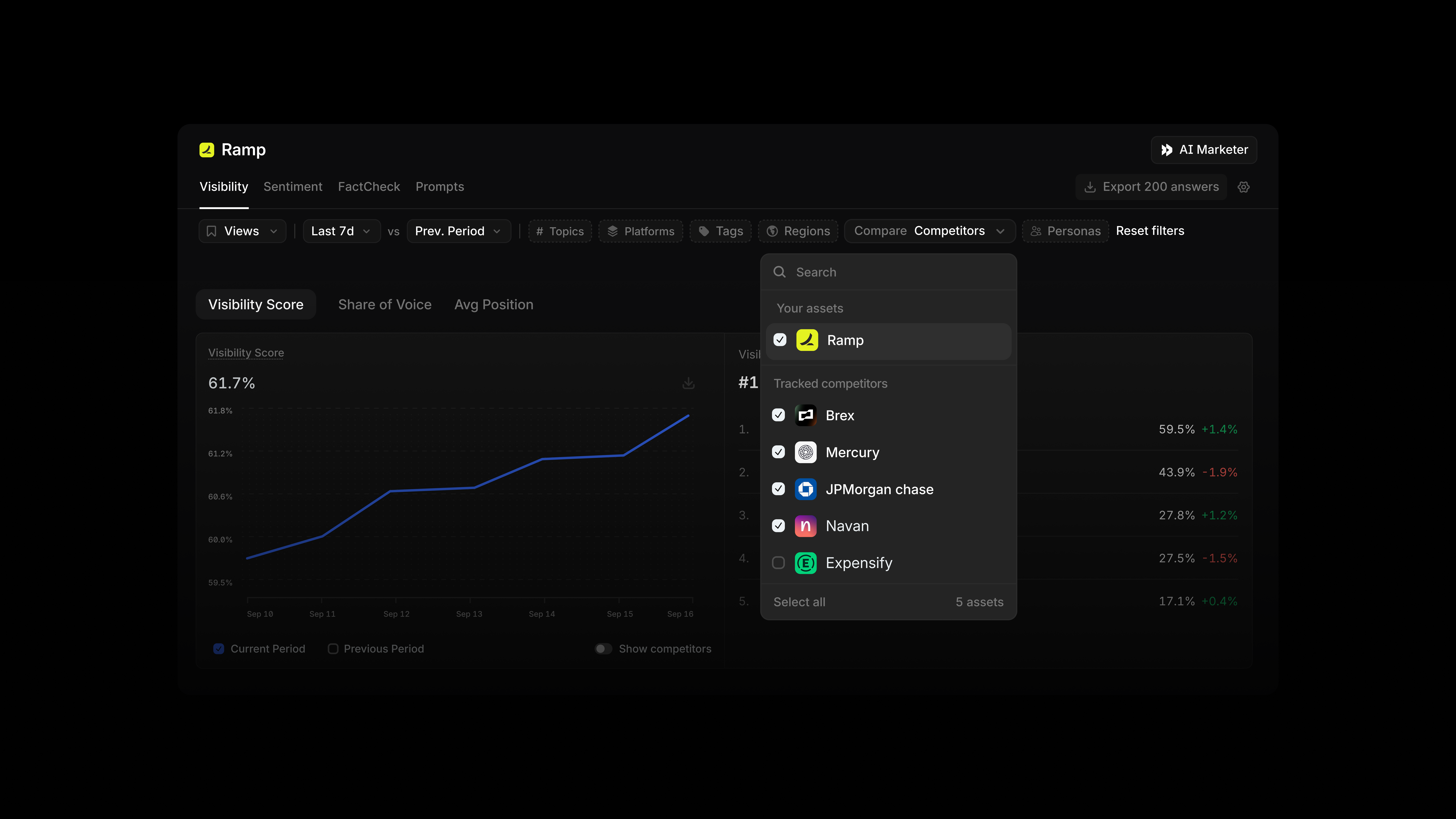
The Visibility tab now has a dedicated Competitors filter, so you control which competitors appear. Switch between the competitors that surface organically or narrow the view to just the ones you want to analyze.
Customize your own visibility and citation heat maps
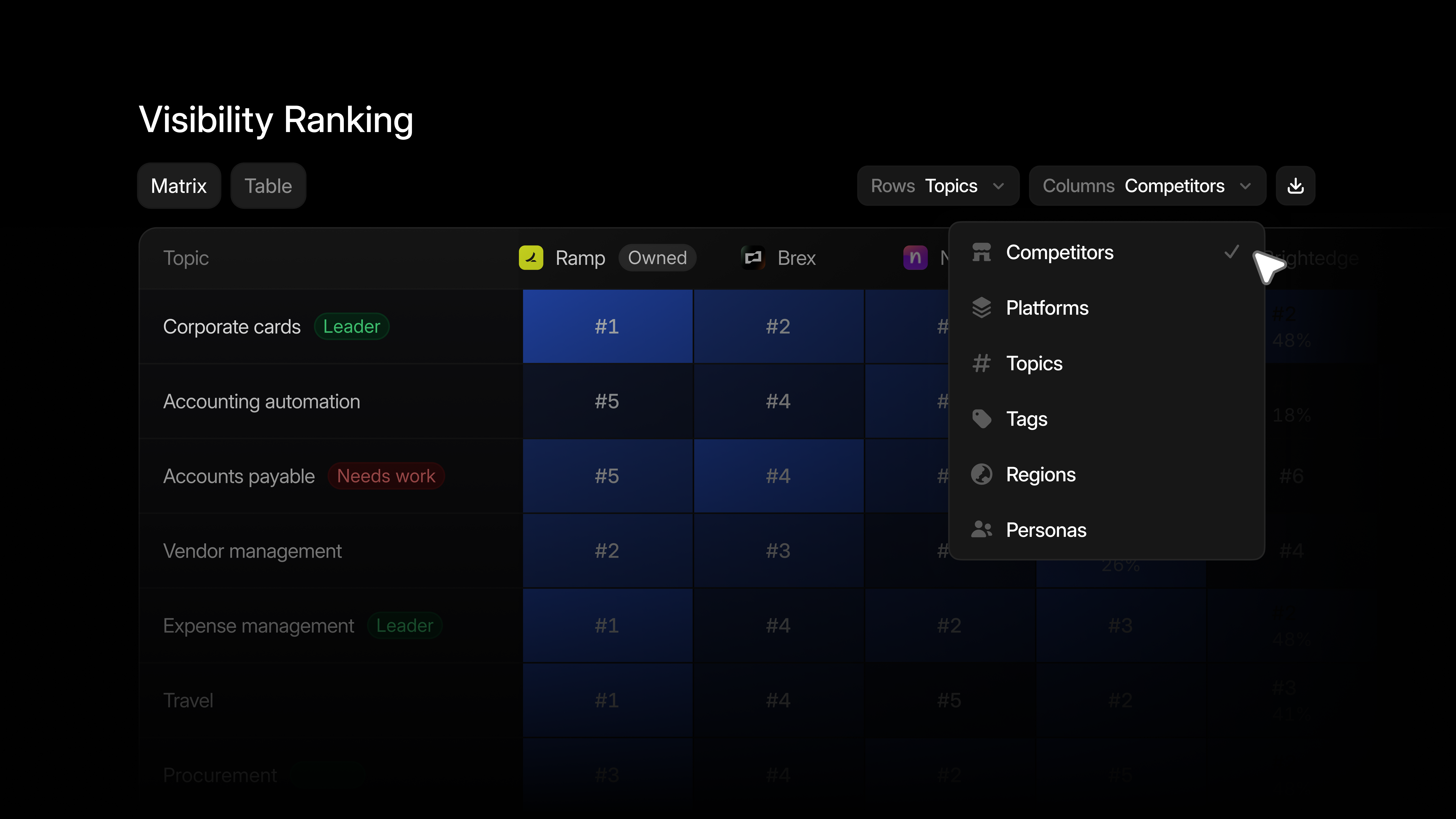
Build your own heat map, in either Visibility or Citations, by choosing the rows and columns; for example, Platforms by Competitor, or Topics by Region. Toggle between rank and percentage depending on what you need. And for the logo-based table view you have seen before, navigate to the Table subtab.
See what's moving, sort by trend, and set your own comparison window
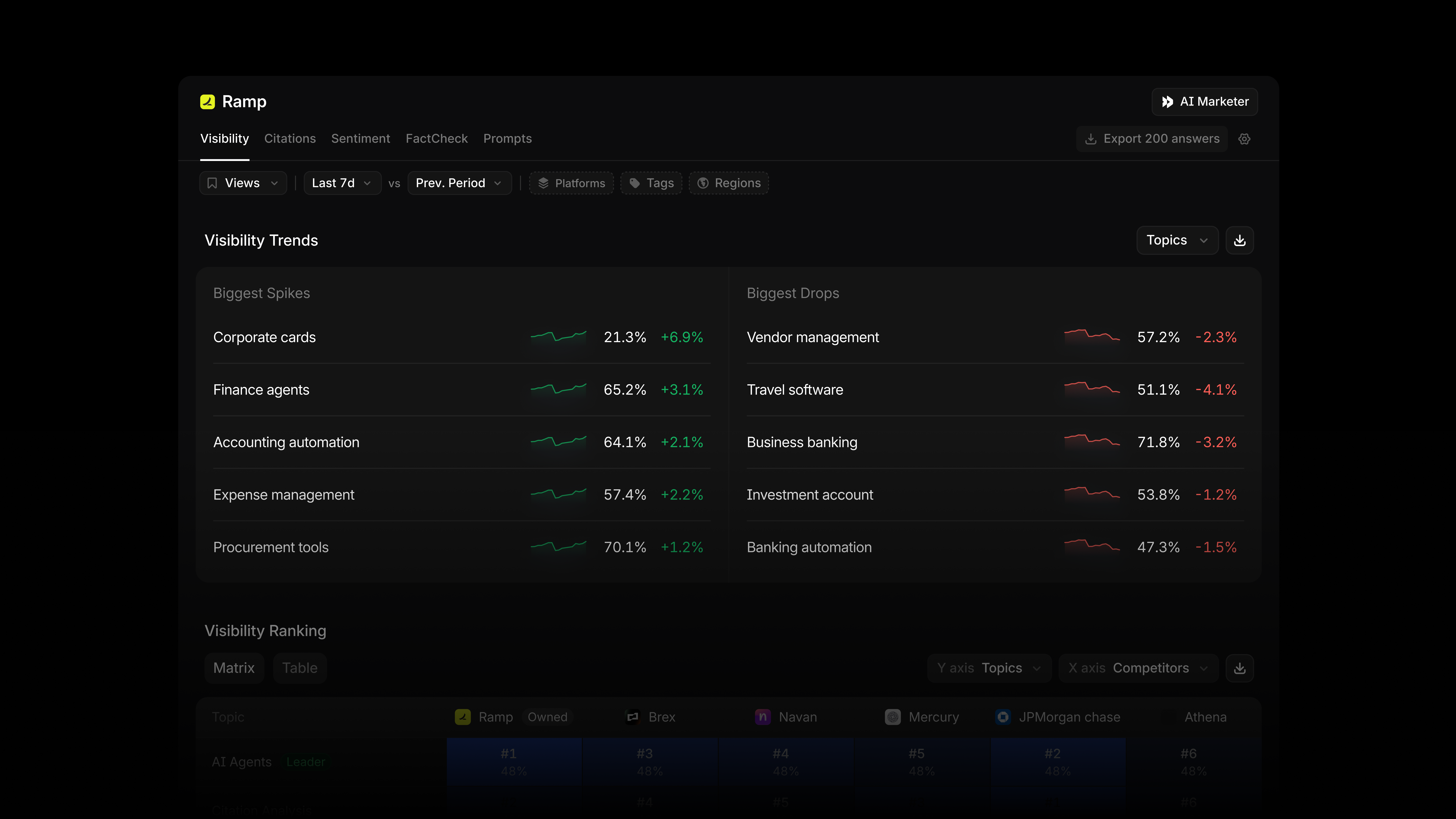
The new Visibility Trend view shows the biggest spikes and drops across competitors, personas, platforms, regions, topics, and tags. Also, tables across the platform, including Prompts, now let you sort by trend in addition to value, so you can see the biggest gains or steepest drops together. And, you can set a custom previous period for any comparison.
Other updates
- Switch to a line chart to explore how your citation category data is trending over time.
- Access per-prompt competitor breakdowns alongside Personas, Platforms, Regions, Tags, and Topics.
- Manage Personas from three places: the personas filter on any tab, the "Compare Personas" view in Visibility or Citations, and the personas cell on any prompt in Prompt Designer.
How marketers are putting these updates to work
Understand a drop without leaving your chart
When your Visibility Score dips overnight, click the exact point where you see the drop and hit Investigate to get an explanation from your AI Marketer, instead of digging through the data yourself.
Prep for your weekly AEO sync in one pass
Before your Monday meeting with your team, use the Compare menu to check where your brand stands across platforms, regions, and personas in a single chart, instead of clicking through separate tabs.
Catch a competitor's spike before leadership asks
Open Visibility Trend to see who moved and where this week, so you already know why a competitor jumped ahead before it comes up in your next leadership sync.
Uncover insights with custom tables
Build a heat map to deep dive into visibility score, understanding how it varies across tags vs. competitors, or topics vs. platforms.
What's next
This redesign is the foundation. Next, we're bringing your AI Marketer into even more surfaces, ready to explain your data right from the tables you already know, and help you go from insight to action.
Get started
The new Answer Engine Insights is rolling out to all Profound customers. You can read our documentation to learn more.
New to Profound? Get a demo to see it in action.
