

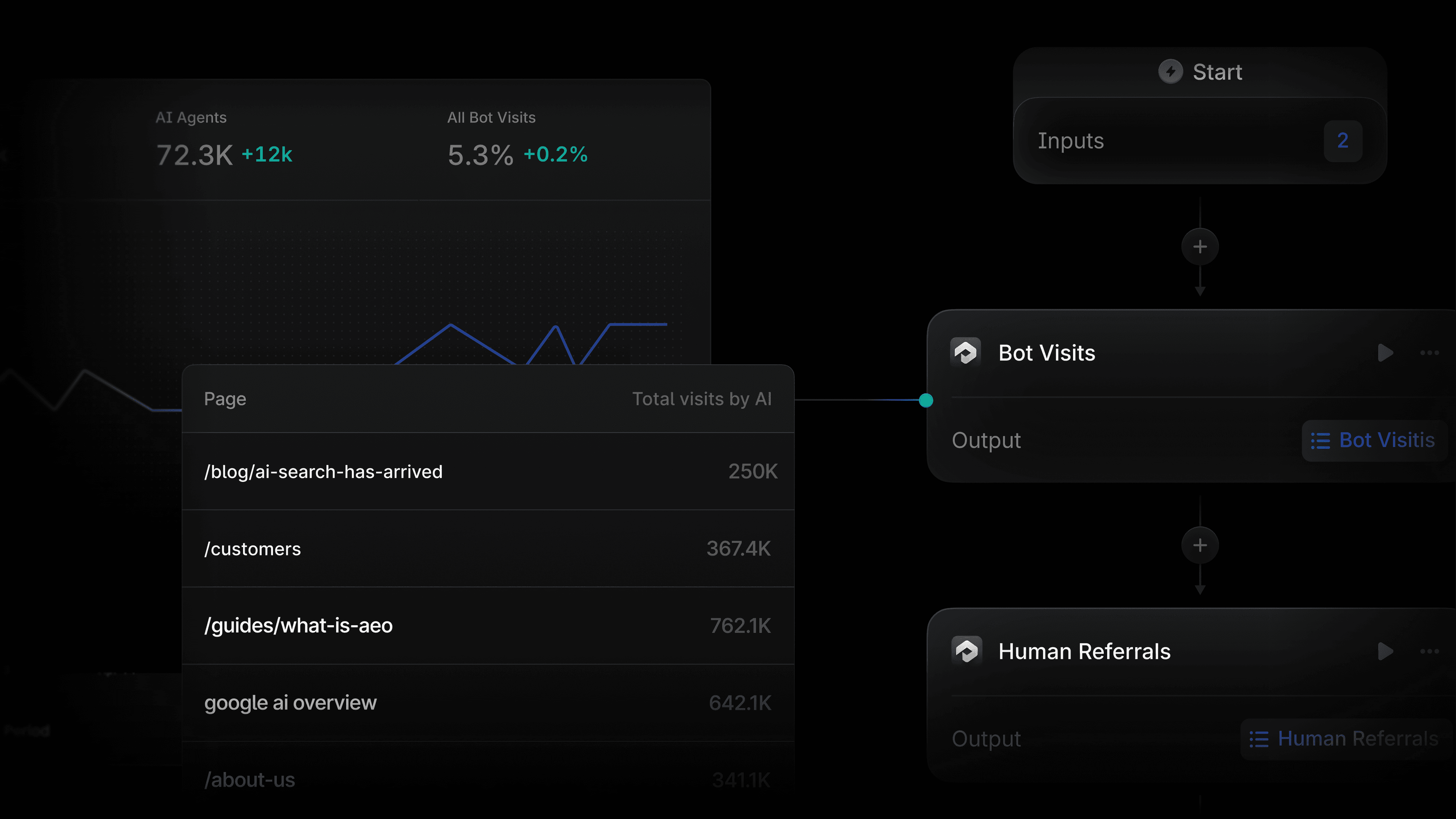
Agent Analytics tells you how AI bots and humans are interacting with your site. Profound Agents let you take your AEO insights and turn them into action. They live on the same platform, and today we are making it even easier to use them together.
We've added two new Agent Analytics nodes to Profound Agents. The Bot Visits and Human Referrals nodes bring your Agent Analytics data directly into any Agent, so they can pull, filter, and act on your data while you stay in the loop.
What the Agent Analytics nodes do
Both nodes live under Agent Analytics in the Agents builder. They are org-scoped, meaning every domain your org has connected to Agent Analytics is available in the domain dropdown.
Bot Visits
The Bot Visits node returns the volume and breakdown of AI bot activity on your site. Configure it by selecting a domain, choosing a dynamic date range and picking the metrics you want to retrieve including:
Count:The total number of bot visits in the selected window.
Citations: Visits where the bot is fetching content to cite in an AI-generated answer.
Indexing. Visits where the bot is indexing content to surface in search.
Training: Visits where the bot is collecting content for model training.
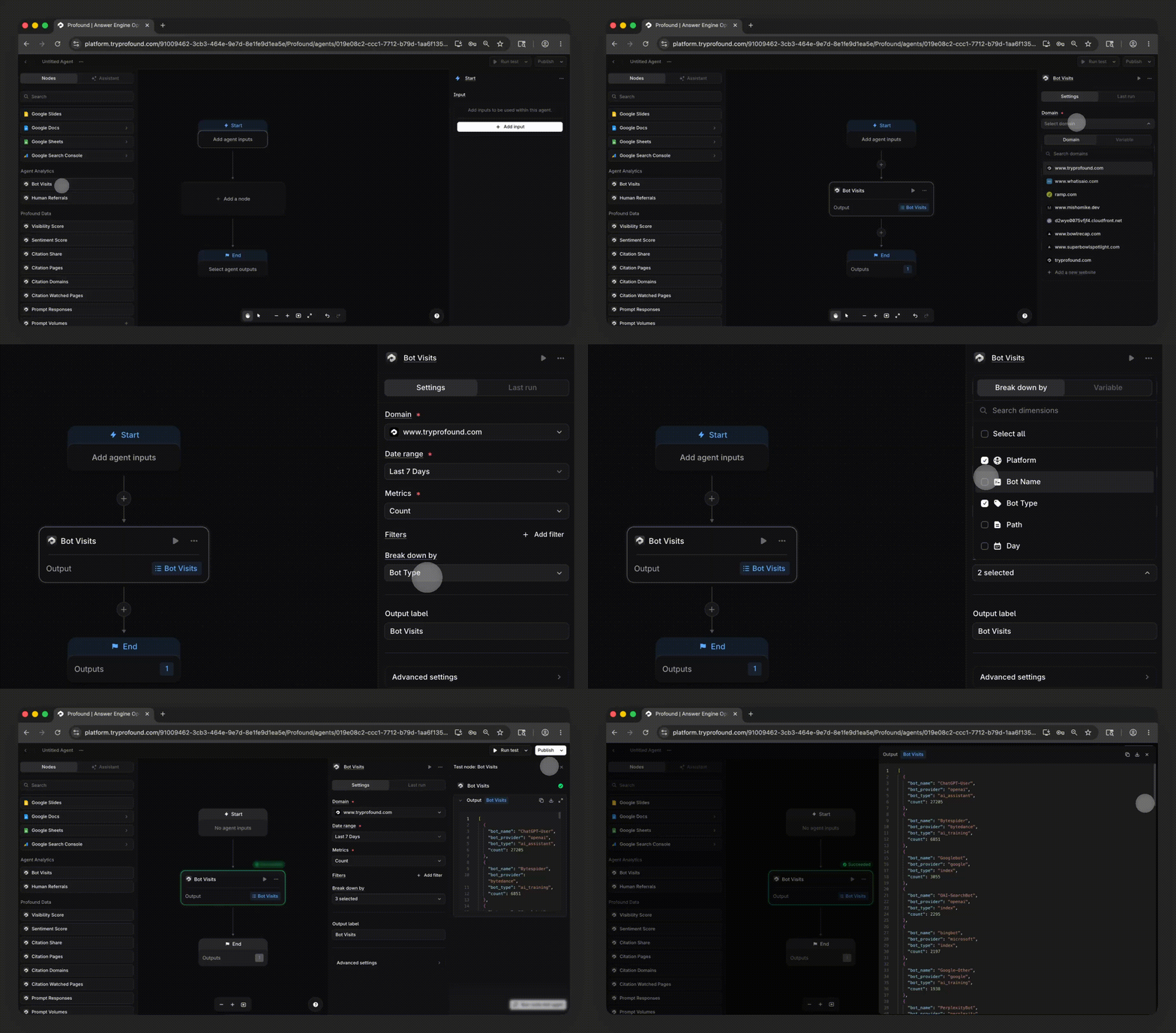
You can filter by page to narrow results to a specific URL path, and break results down by Bot Provider, Bot Name, Bot Type, Page, or Day to cut the data as you need.
Human Referrals
The Human Referrals node returns human traffic to your site that originated from an Answer Engine, such as ChatGPT, Perplexity, Gemini, or Claude. Configure it with a domain, date range, and optional page filter, then break the output down by Page or Referral Source.
The output returns referral volume per source, so you can see exactly which Answer Engines are sending traffic to your site and how that distribution shifts over time.
How Profound customers can use these nodes
Automate weekly bot visit reporting
Build an Agent that runs every Monday, pulls Bot Visits for the prior week broken down by Bot Type, and posts the result to a Slack channel or generates a Gamma presentation for your team sync. No more manually pulling numbers before each meeting.
Set up anomaly alerting
Set up an Agent that monitors bot visits across your full site or a specific page. Chain a Prompt LLM node downstream to evaluate the output and trigger an alert when traffic spikes or drops below a threshold. Useful for catching sudden indexing changes, new bot activity, or drops that signal a technical issue.
Track new or revamped pages
If you launch a new product page or revamp a page that was previously not optimized, point the Bot Visits node at that page path and track how AI bots discover it over the following days. Pair it with the Human Referrals node to see when real users start arriving from Answer Engines.
Monitor shifts in Answer Engine referral traffic
Use the Human Referrals node to track how Answer Engine traffic to your site is changing. Break the output down by referral source to see whether your visibility gains in ChatGPT, Perplexity, or another model are translating into actual visits, and feed that data into a content workflow that prioritizes the pages driving the most engine-sourced traffic.
Get started
The Bot Visits and Human Referrals nodes are available today for customers of Profound with Agent Analytics enabled. If you do not have Agent Analytics enabled, you can see how to do so here.
If you are interested in learning more about Profound, you can sign up for a demo here.


