


AI has made content production fast, but it’s often at the sake of consistency. Every team member prompts differently, every workflow re-teaches the model the same brand voice and formatting rules, and the output varies wildly depending on who's at the keyboard. Speed isn't the problem anymore. Making AI reliably produce work at the standard your brand requires is.
Profound Skills close that gap. Skills are reusable instruction sets you create once and apply anywhere you generate content in Profound. Configure your team's writing style, AEO best practices, or content guardrails as a Skill, then plug it into your workflows without having to repeat yourself.
Creating a Skill
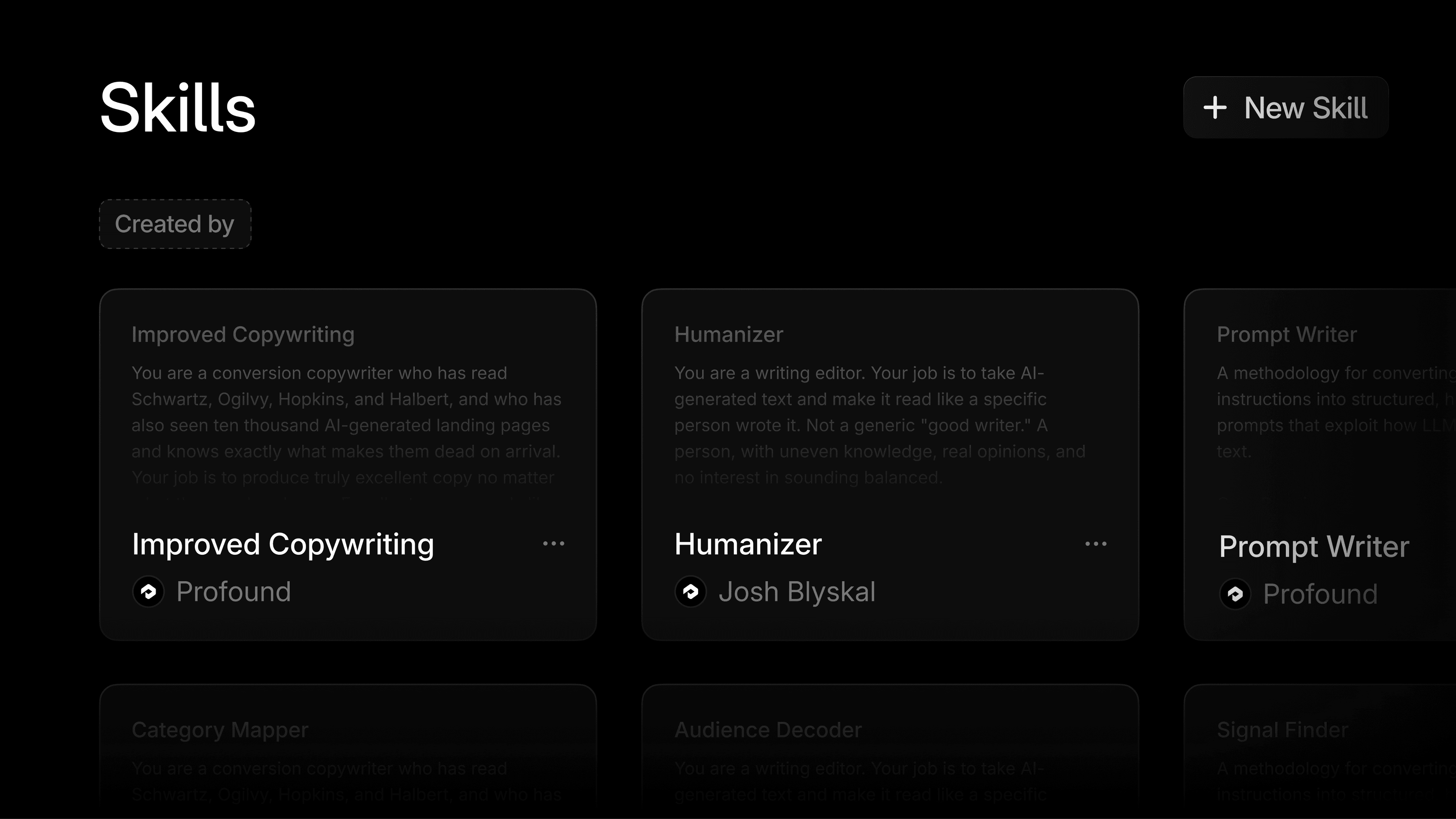
The new Skills section lives with the rest of your context alongside Knowledge Bases. From there, you can create as many Skills as you need, manage them, and update them any time your standards evolve.
Here's how it works:
Build a Skill from scratch. Define the rules, voice, or instructions you want applied to your AI-generated outputs. Anything you'd normally have to paste into a prompt can be encoded once.
Use Profound's default Skills. We ship a starter set of Skills out of the box, such as a Skill that improves generic copy-writing, so your team can start applying them immediately and have examples to lean on for custom builds.
Share across your team. Skills created in your workspace are available to every Profound user on your team. See who created what, filter by creator, and search by name.
Iterate over time. Update a Skill whenever your standards change, and the new version takes effect everywhere it is in use.
Applying Skills across Profound
Skills plug into the Profound workflows you already run.
In Ask. Open the prompt menu and select a Skill via slash command. Type /Humanizer or /Improved Copywriting and your conversation will automatically apply that Skill's instructions to every response. Useful for one-off drafting, editing, or any time you need a specific lens applied without typing out the instructions.
In Agents. Within Prompt LLM nodes of Profound Agents, attach a Skill to modify the output which can be used downstream in subsequent nodes. Great for customizing Agent outputs without relying on each builder to prompt the same way. Reuse shared Skill behavior across Agent workflows for a more consistent voice and experience across content produced.
In Projects. From within a Project, leverage Skills to quickly edit briefs so rules are inherited before an Agent does the work. Brand voice, formatting, and content guardrails are baked in from the start.
How to use Skills
Bake in your brand voice
Encode your brand's writing style, tone, and voice in a single Skill. Apply it to any content workflow in Profound and the output stays on-brand without anyone having to remember to enforce it.
Standardize content across your team
When every team member is prompting AI a little differently, your outputs reflect that. Build shared Skills for recurring deliverables like blog briefs, social copy, or executive summaries, and your whole team produces consistent work regardless of who is running the workflow.
Enforce your content rules automatically
If your brand has topics you avoid, claims you can't make, or phrasing you don't use, codify those guardrails as a Skill. Apply it everywhere you generate content and save yourself the editing pass on the back end.
Operationalize your AEO playbook
As your team learns what drives AI Search visibility, capture those lessons in a Skill. Every new piece of content created in Profound automatically reflects what's working, so your hard-won AEO insights don't get lost when team members change or create new workflows scale.
Lower the barrier for non-power users
Skills let any team member tap into expert workflows without needing to build them. A product marketer working on a new page can apply your AEO content Skill and immediately produce output that follows your standards, without having to learn the underlying prompt engineering themselves.
Get started
Skills are available today for all Profound users. Others are encouraged to get a demo here.

